 TFStudio
Building a Quarter-Wave Dielectric Mirror
Learn the basic HL-pair structure of a dielectric mirror, build an eight-pair 550 nm mirror with Stack Formula, and see what the pair count changes.
A basic dielectric mirror is one of the simplest multilayer coatings. It uses alternating layers with high and low refractive index. In coating notation, these materials are called H and L.
This tutorial builds an eight-pair mirror for 550 nm with TFStudio's Stack Formula tool.
What an HL pair does
Each layer is one quarter-wave optical thickness at the design wavelength :
At normal incidence, the reflections from the interfaces in an alternating quarter-wave stack add constructively around . Repeating the pair raises the reflectance:
The letters describe optical roles, not fixed materials:
- H is the material with the higher refractive index.
- L is the material with the lower refractive index.
- A bare
HorLin Stack Formula means one quarter-wave optical thickness.
More pairs increase the reflectance in the high-reflectance band. The index contrast between H and L largely determines the width of that band.
Build the mirror with Stack Formula
Open Design → Formula.

Enter this formula:
(H L)^8
Set the controls as follows:
- Set Reference λ₀ (nm) to 550.
- Assign
Hto built-inTiO2 (anatase). - Assign
Lto built-inSiO2 (Fused Silica). - Set the incident medium to
Air. - Set the substrate to
BK7 (Schott). - Set Apply to to Front.
- Leave Start from substrate checked.
- Click New design.
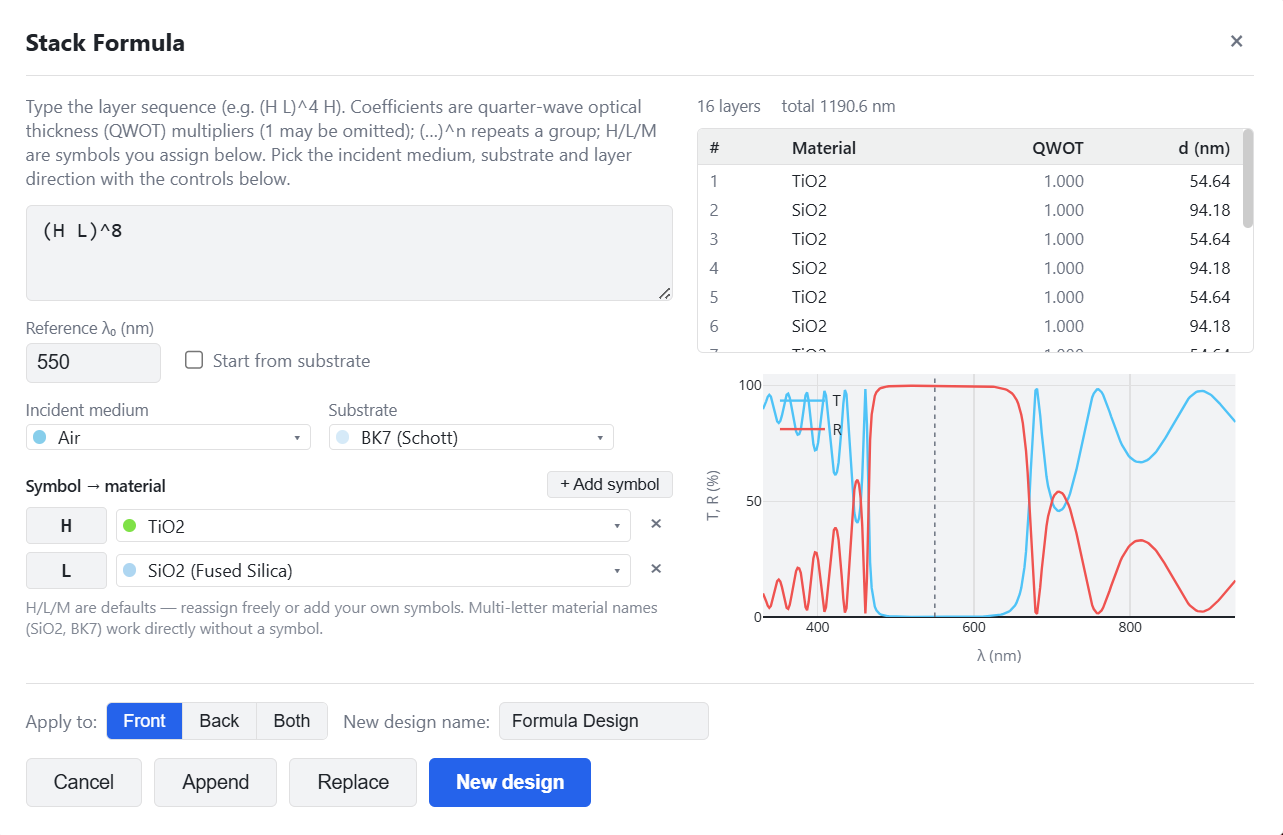
The parentheses group one HL pair, ^8 repeats it eight times, and TFStudio
converts every quarter-wave optical thickness into a physical thickness using
the selected material data at 550 nm.
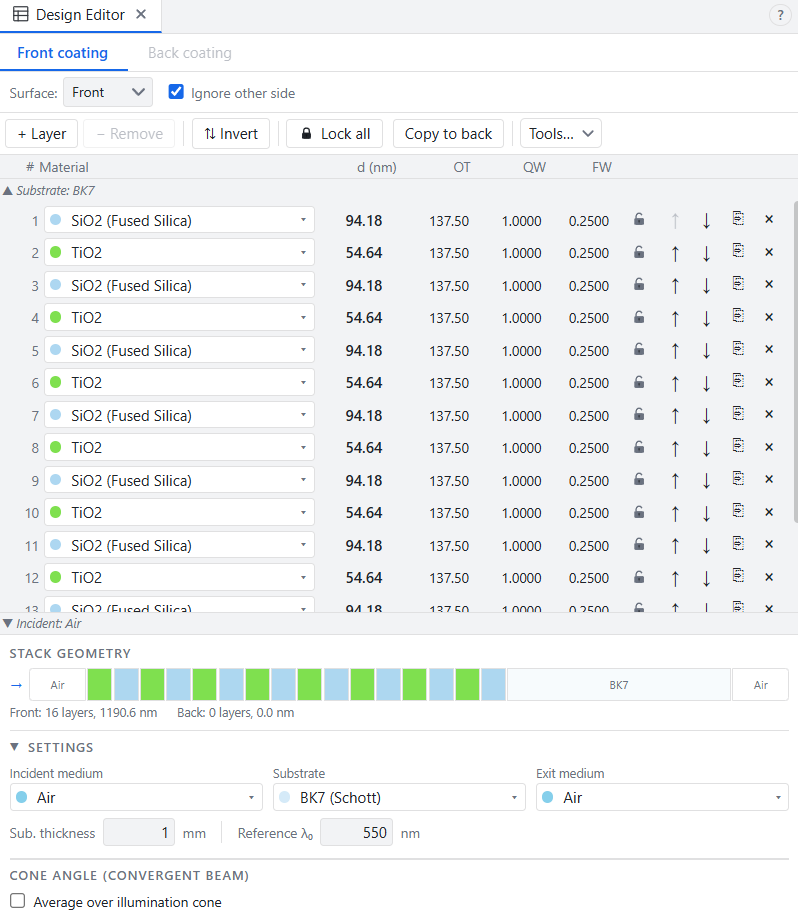
The result contains 16 layers. The formula is read from the substrate outward. The Design Editor also lists the substrate-adjacent layer first, so its table appears in the same order.
Check the result
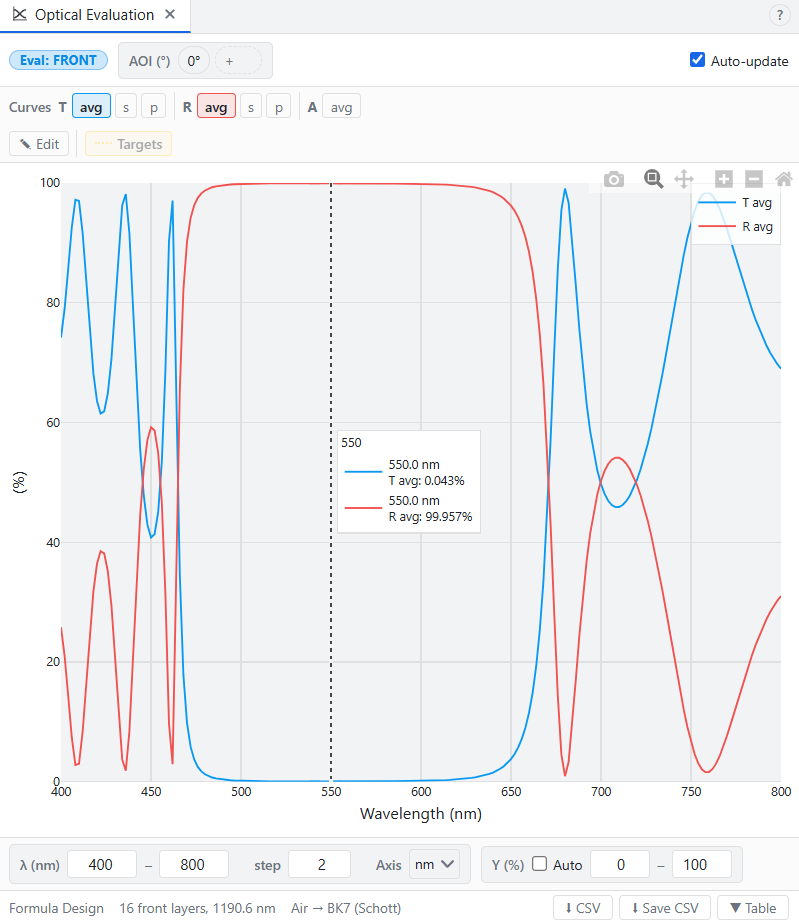
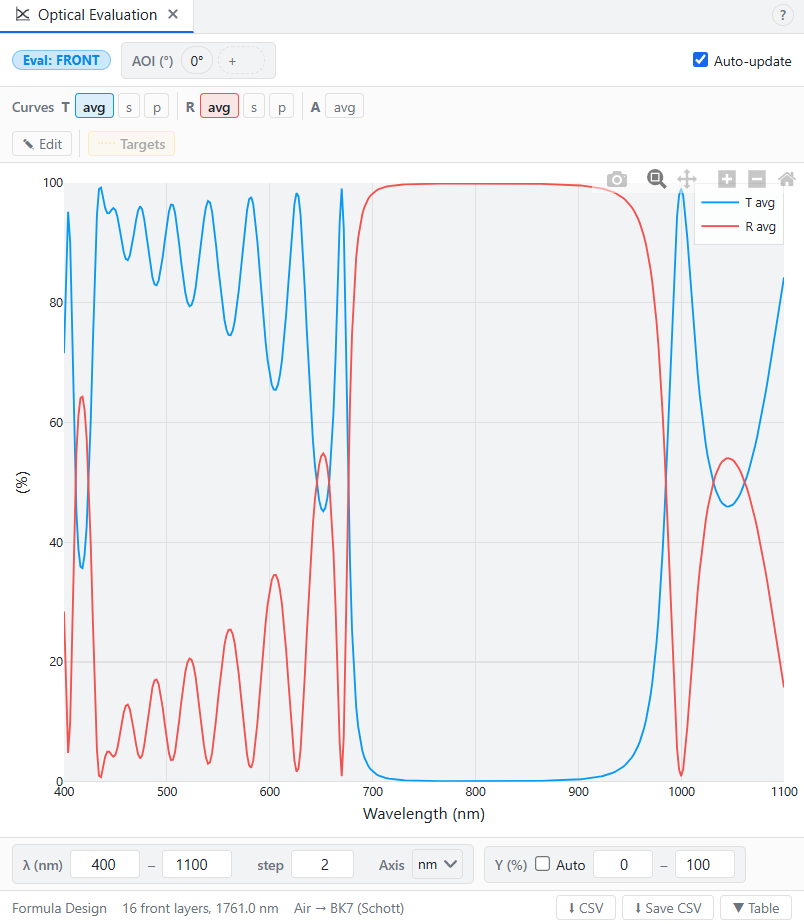
Open the Optical Evaluation window (Analysis → T/R/A). The reflectance curve should show a high-reflectance band centered near the design wavelength.
Two quick changes show how the structure behaves:
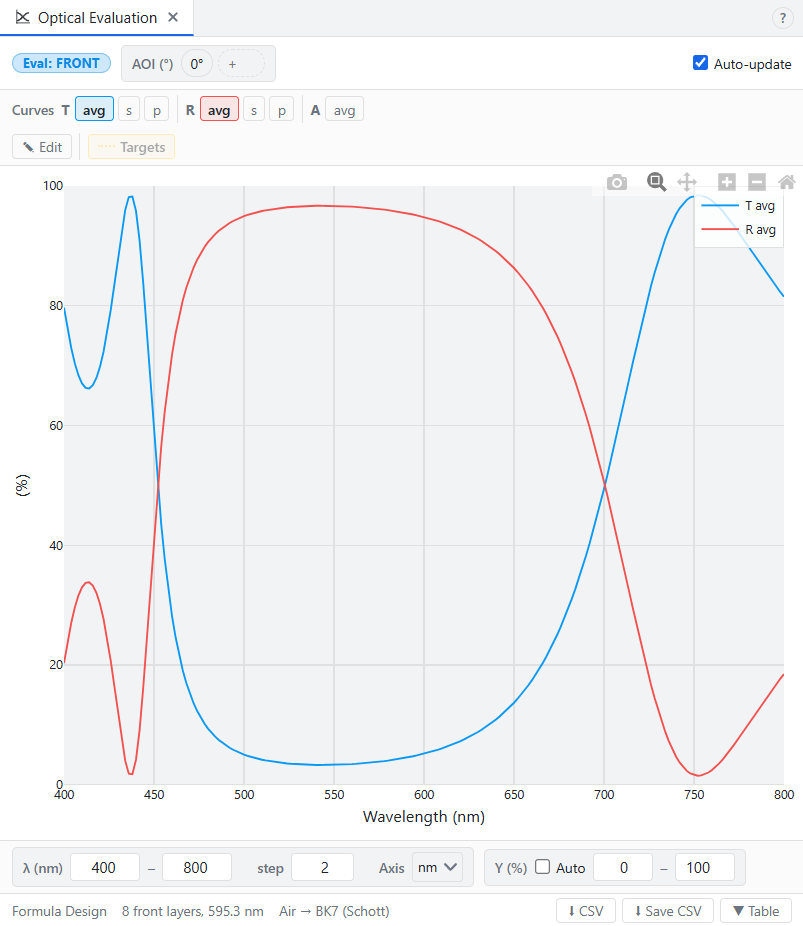
- Open Formula window again and change the formula to
(H L)^4, click Replace. The mirror now has fewer layers and lower peak reflectance.
- Restore
(H L)^8and change reference to 800 nm either in Stack Formula or in Design Editor. Now the high-reflectance band moved to the right as physical thicknesses of layers were automatically recalculated to new reference wavelength.
That is the basic dielectric mirror.